Day 2: Service Management with Systemd - Linux Basic
In this article we will see service management with systemd
👩💻 I am currently working as Infrastructure Engineer.
🔭 I’m currently preparing for CKA certification.
📝 Do check my linked post I keep posting articles related to DevOps
To run any command in background we need to define it as service. For this we have to create a service unit file.
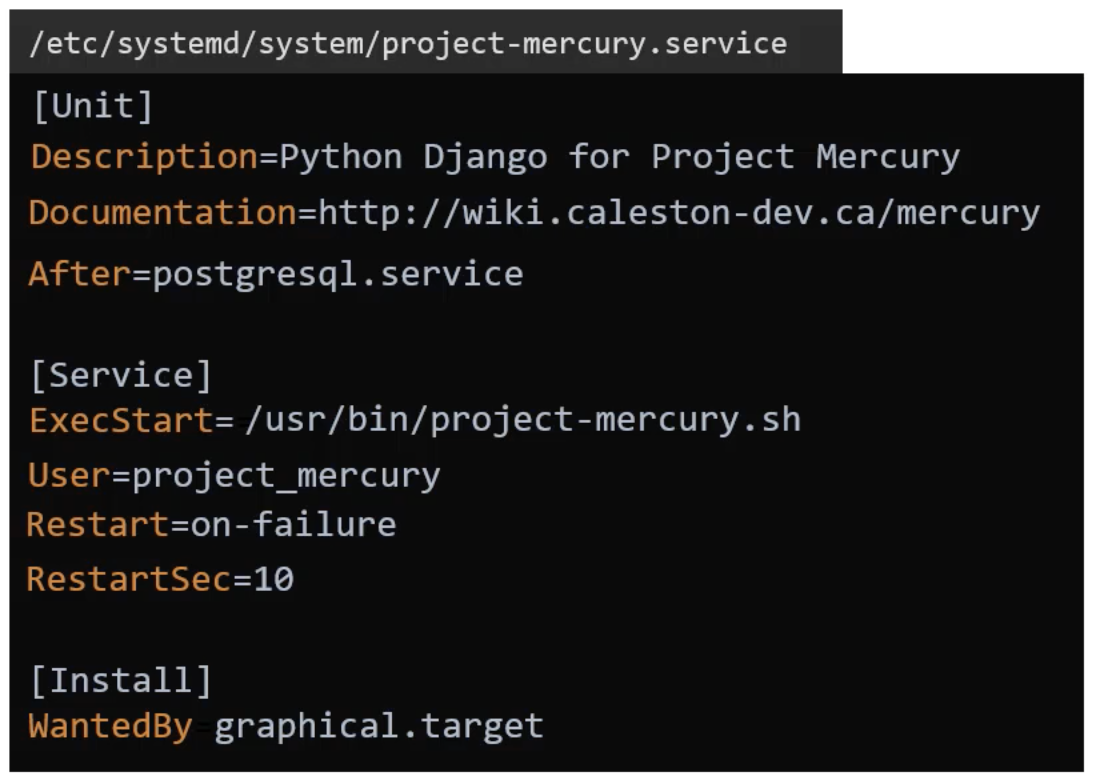
Say, I want to run a command /usr/bin/project-mercury.sh as a service. Lets say project-mercury.sh is a shells script that runs a python Django application. This Django application depends on postgres db. Hence postgres service should be up and running before running django application. Say, we have a service account "projectservice" and the service should make use of this service account.If application fails for some reason it should restart automatically and before restarting it should wait for 10 sec before restarting the service. The service should start with graphical.target.
As per the requirement we will start with creating the service unit file in /etc/systemd/system directory
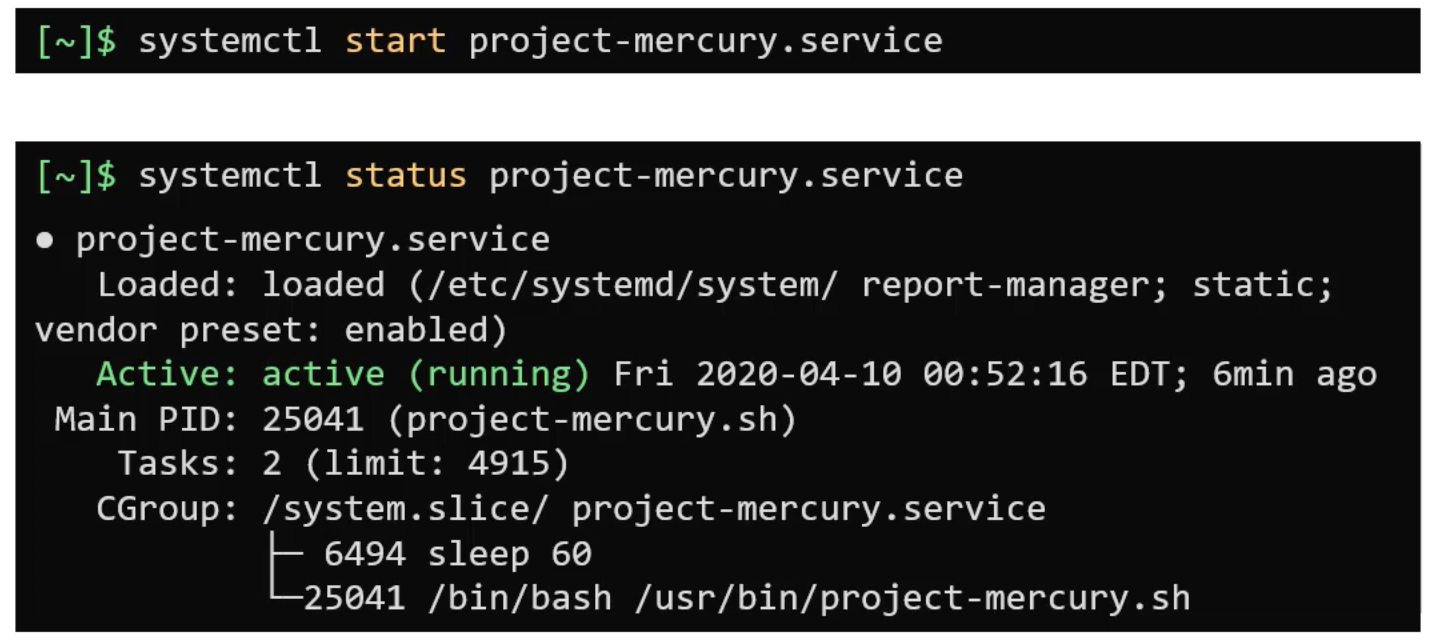
After the file is created run command:
If the service unit file is edited below command should be ran

Running systemctl daemon-reload command after making changes to a service unit file reloads the system manager configuration and make the SYSTEMD aware of the changes.
A running service whose unit file has been updated on disk can only be restarted after running the systemctl daemon-reload.
Systemctl is use to :
Manage system state
start/stop/restart/reload service
Enable and Disable service
LIST and Manage Units
List and Update target.
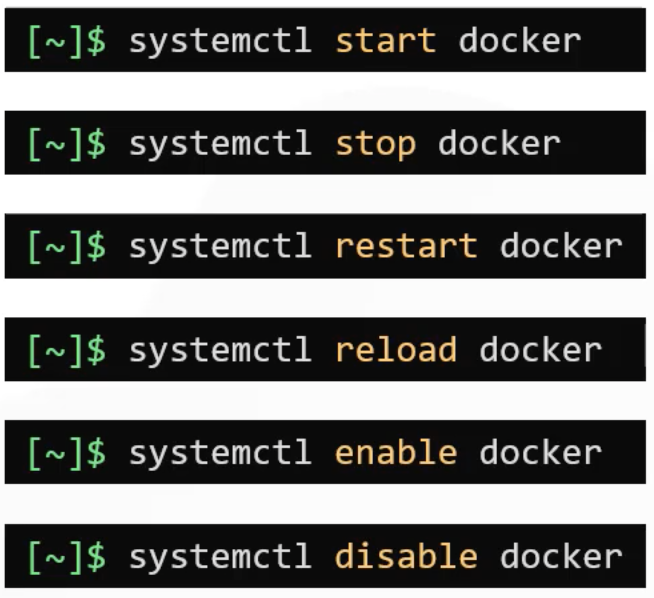
systemctl start <service> will start the service
systemctl stop <service> will stop the service
systemctl restart <service> will bring down the service and then will bring up the service
systemctl reload <service> will reload the service without interrupting normal functionality
systemctl enable <service> will start the service during the system boot and vice versa for disable.
systemctl status command provide information about the state of the service.If running properly it should show status as Active and if the service has been stopped it should be in "Inactive(dead)" state. There are transient state activating and deactivating which are in between state. Finally there is failed state.
You can make changes to unit file using systemctl edit command . This will open service configuration file in editor mode. You can make changes, rewrite the settings as needed. Units edited this way apply the changes immediately without having to run systemctl daemon-reload command.

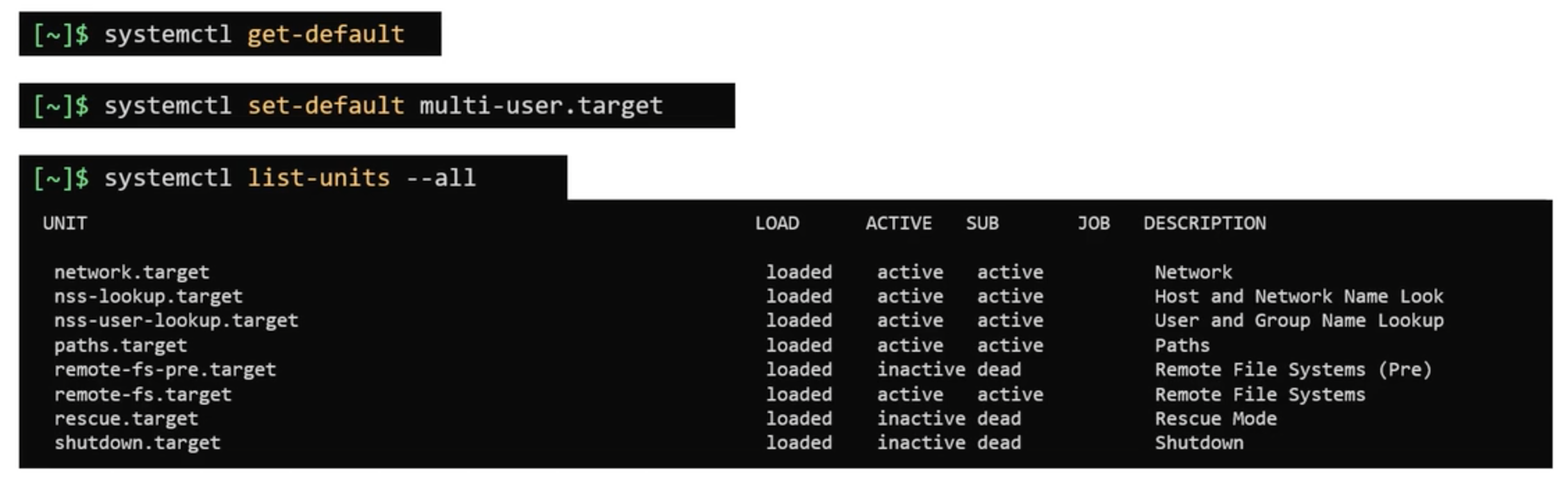
systemctl get-default command is used to check the current run level or target. systemctl set-default command is used to set different runlevel / target.
systemctl list-units --all command is used to list all active and inactive units.
systemctl list-units command is used to list only active units.